
Hibiya Music Festival 2026 Official App
The Hibiya Music Festival 2026 Official App allows you to check in for FORUM-za electronic tickets, apply for same-day lotteries, apply for waitlist lotteries, and access the latest news, program information, timetable, map function, and more.


- Those who apply for the lottery on the day of the app
Those who wish to apply for the waiting list lottery
Regarding admission
Regarding ticket cancellations
• Other information about tickets / Notes
• Inquiries about the app
- Those who won the pre-sale lottery through the ticket agency
STEP.1
Install the Hibiya Music 2026 official app
STEP.2
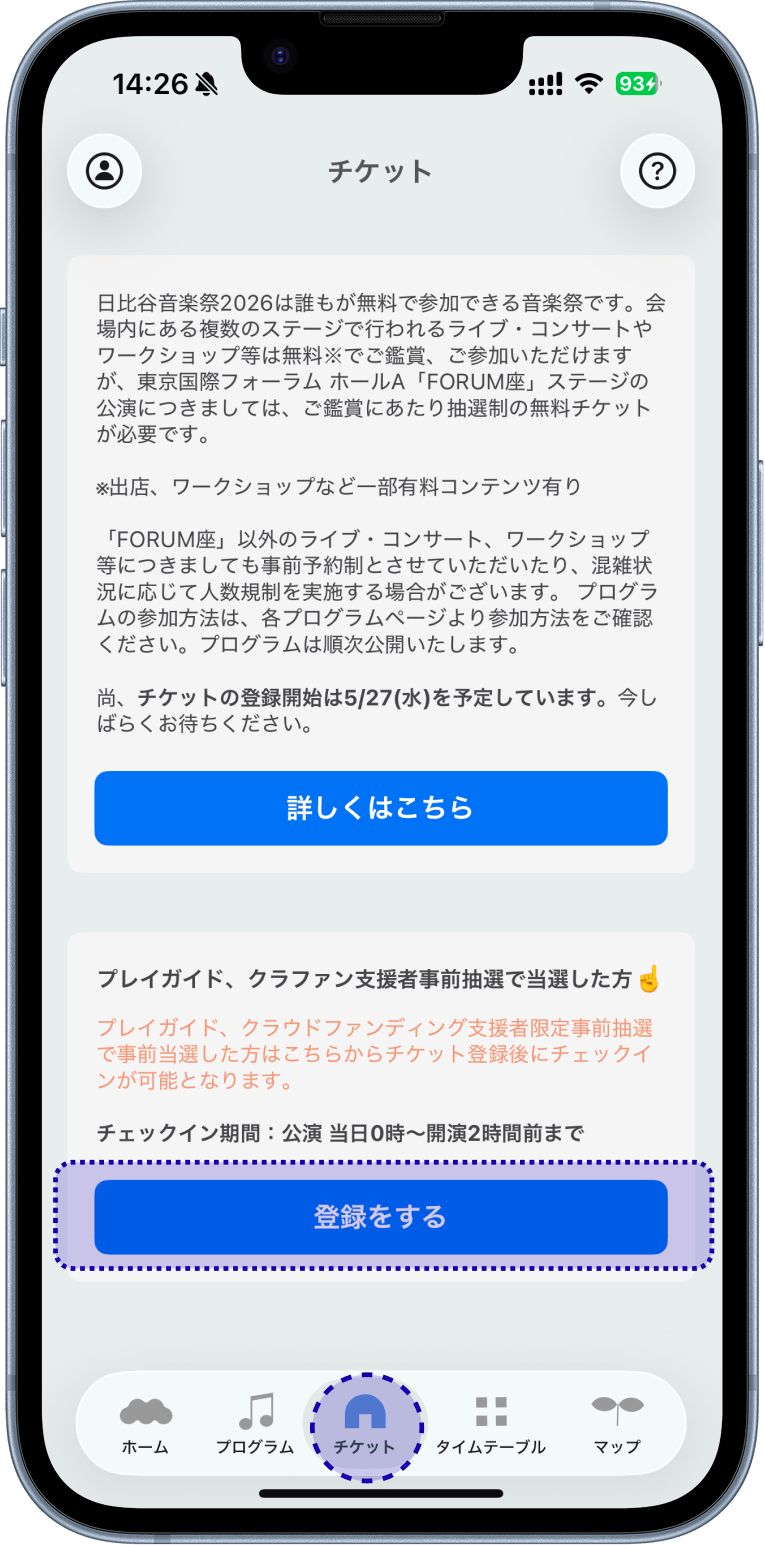
Select "Register" from the "Tickets" tab.
STEP.3
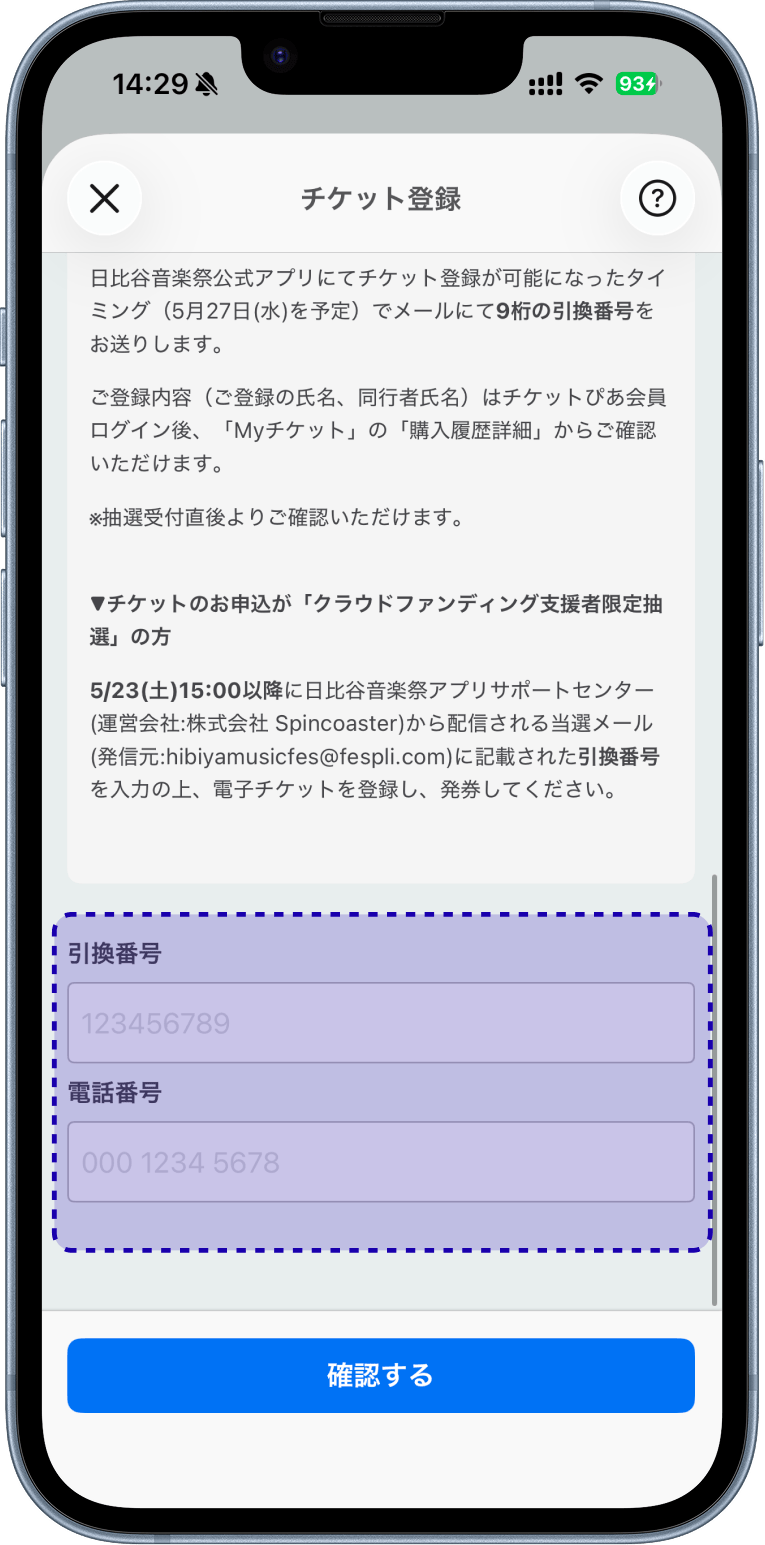
Please check the notes and enter the exchange number of your winning ticket () and your registered phone number.
STEP.4
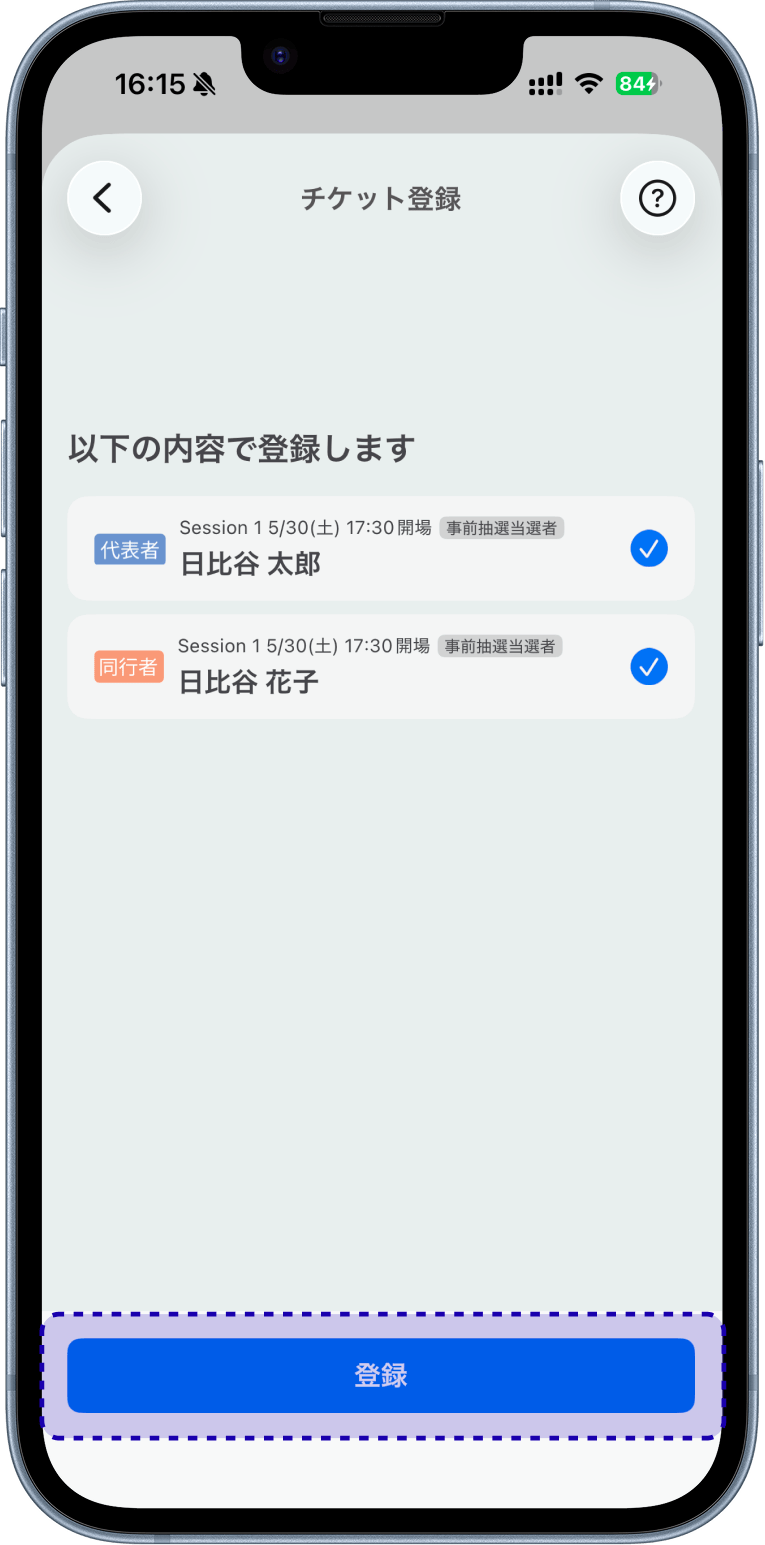
The winning ticket information will be displayed, so select "Register" to complete the process.
STEP.1
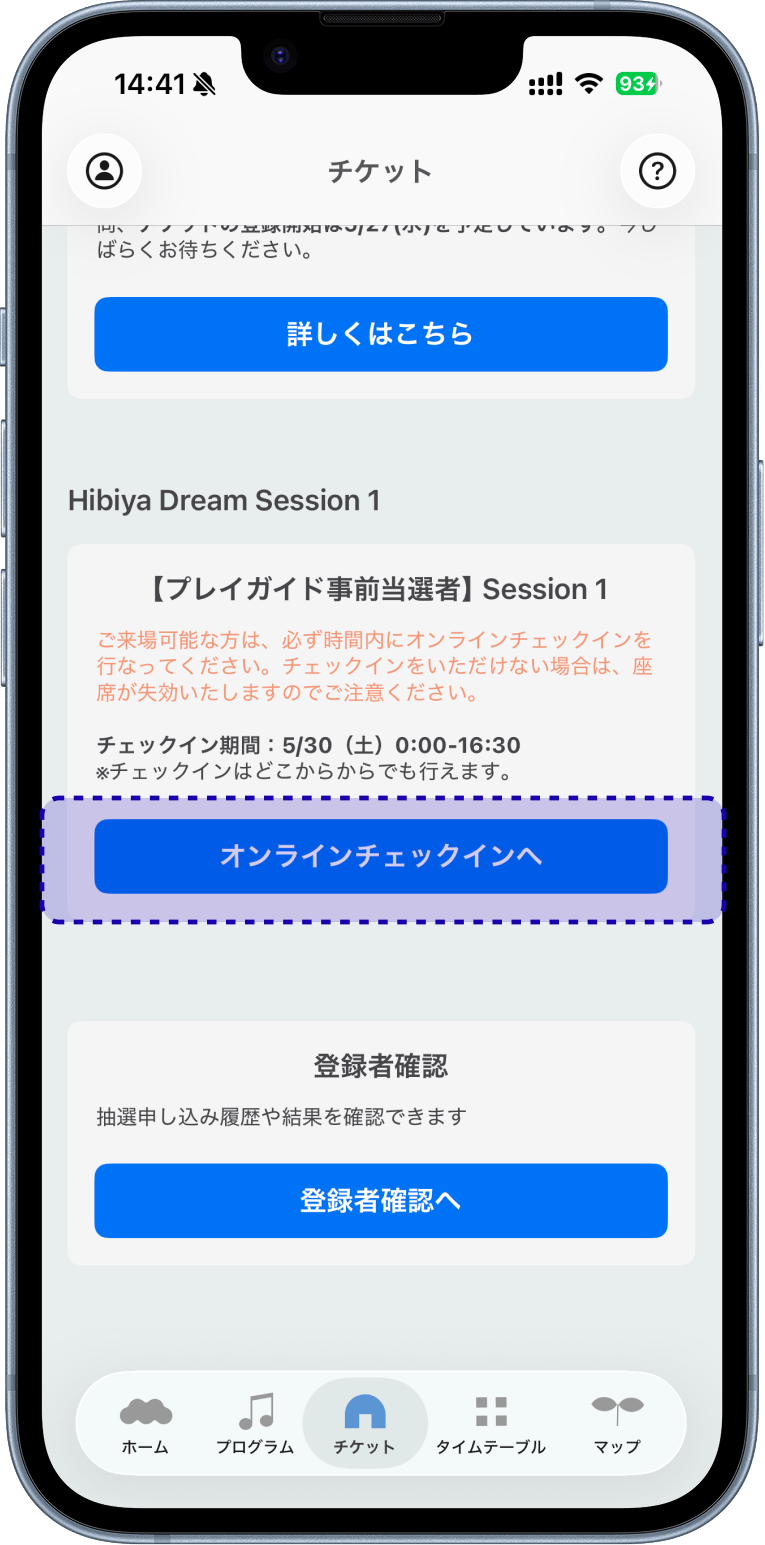
From the Ticket tab, select "Go to Online Check-in" for the session you registered your ticket for.
STEP.2
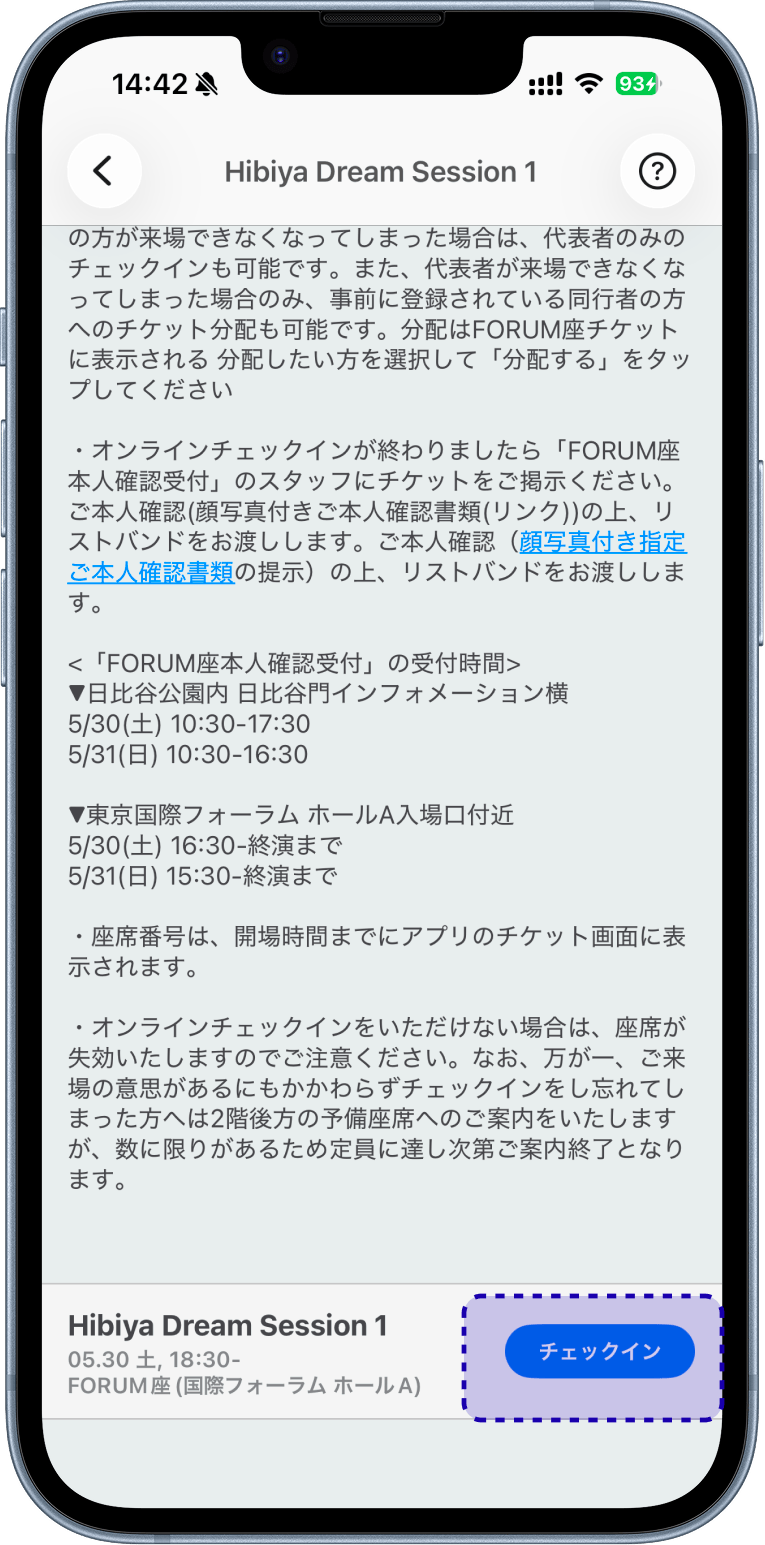
Please review the notes and select the "Check-in" button.
STEP.3
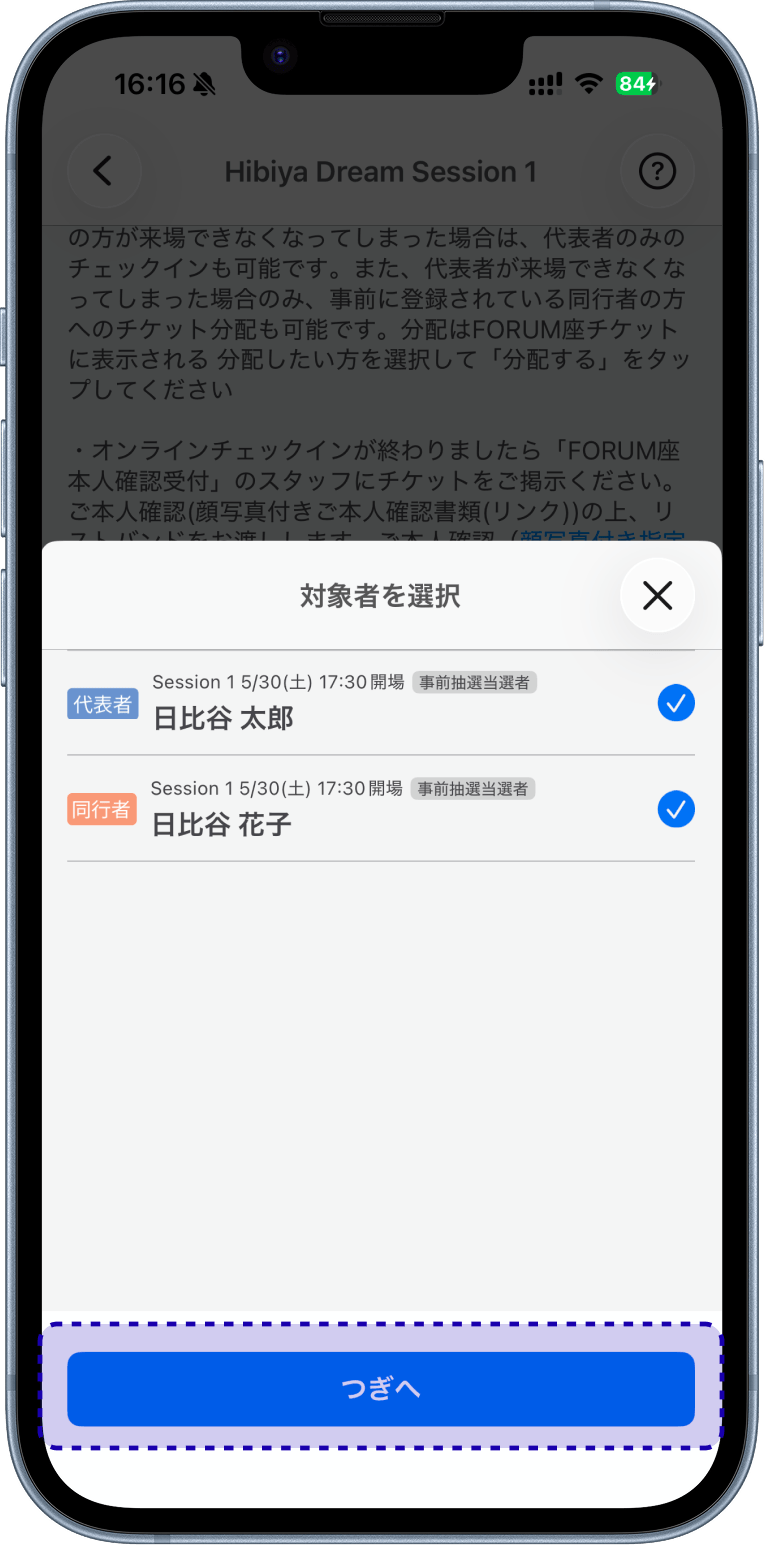
After selecting the person to check in, proceed to complete check-in.
STEP.4
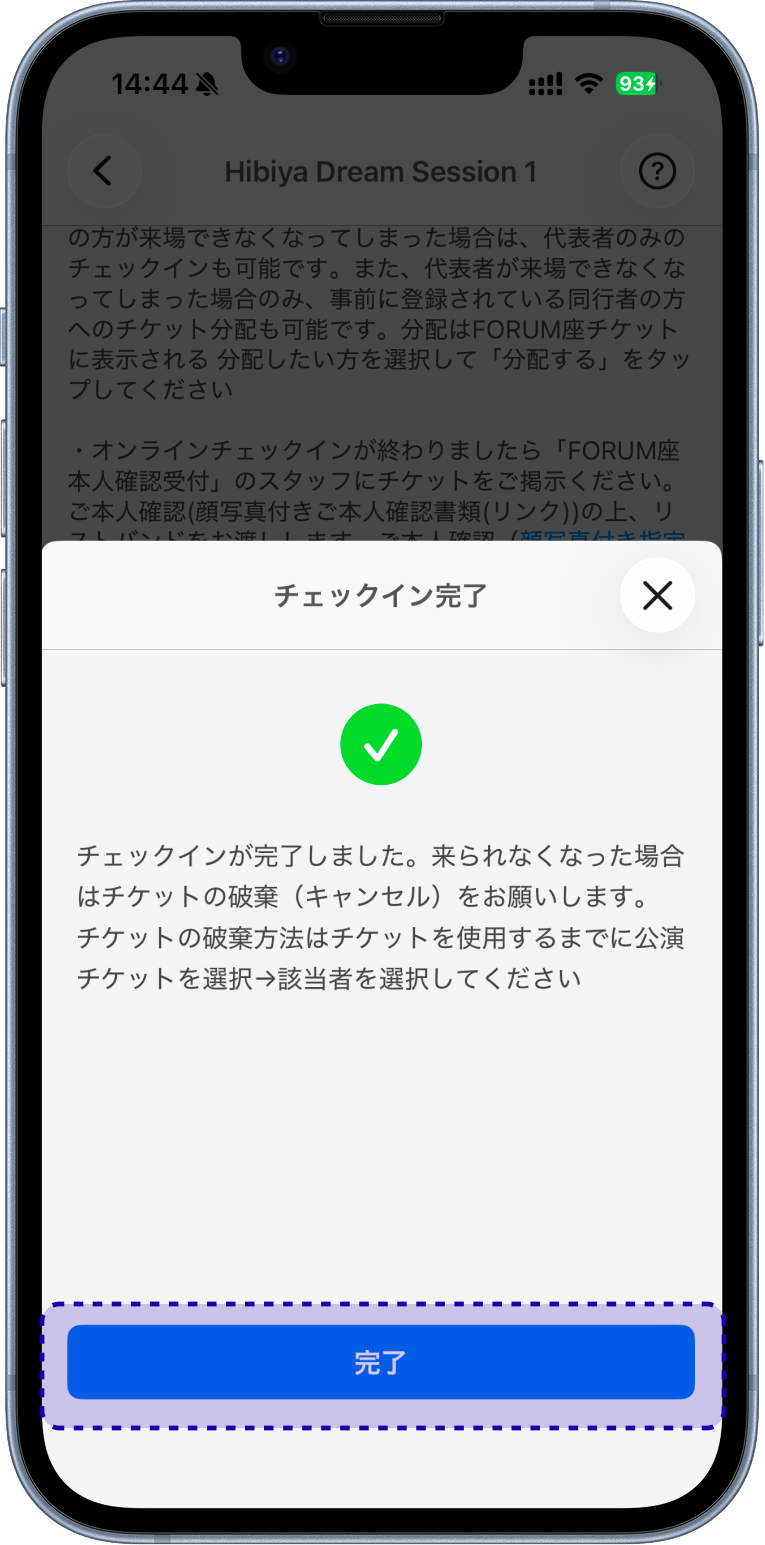
Once check-in is complete, your ticket will be displayed and a "Checked In" button will appear.
Seat numbers will be displayed before the venue opens. 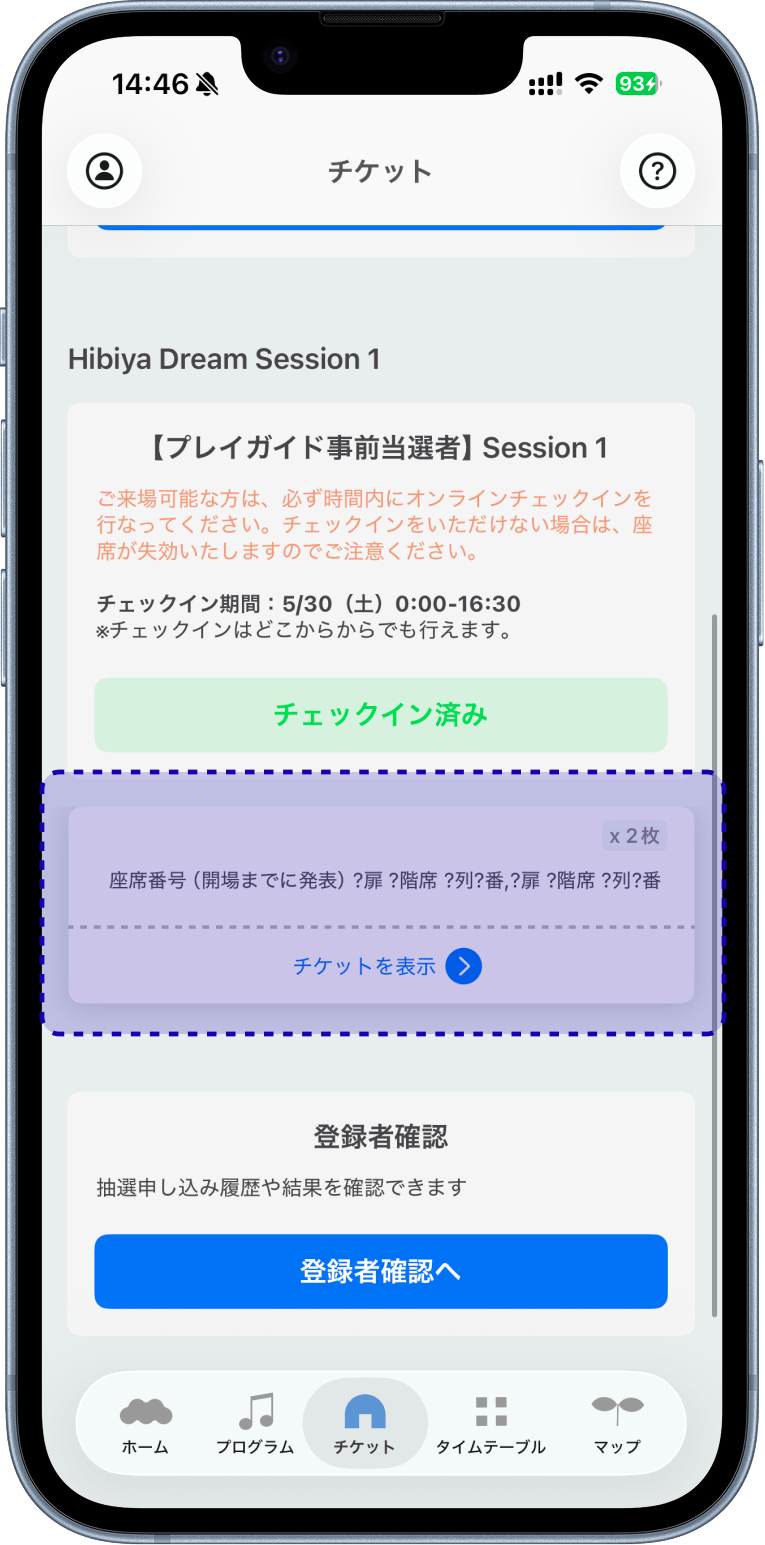
- Those who apply for the lottery on the day of the app
Application period: 11:00 AM on each event day until 2 hours before the start of the performance
Application area: Around Hibiya Park and Tokyo International Forum
STEP.1
Select the "Proceed to Application" button from the "Tickets" tab.
*This button will appear when registration opens for each session on the day of the event. 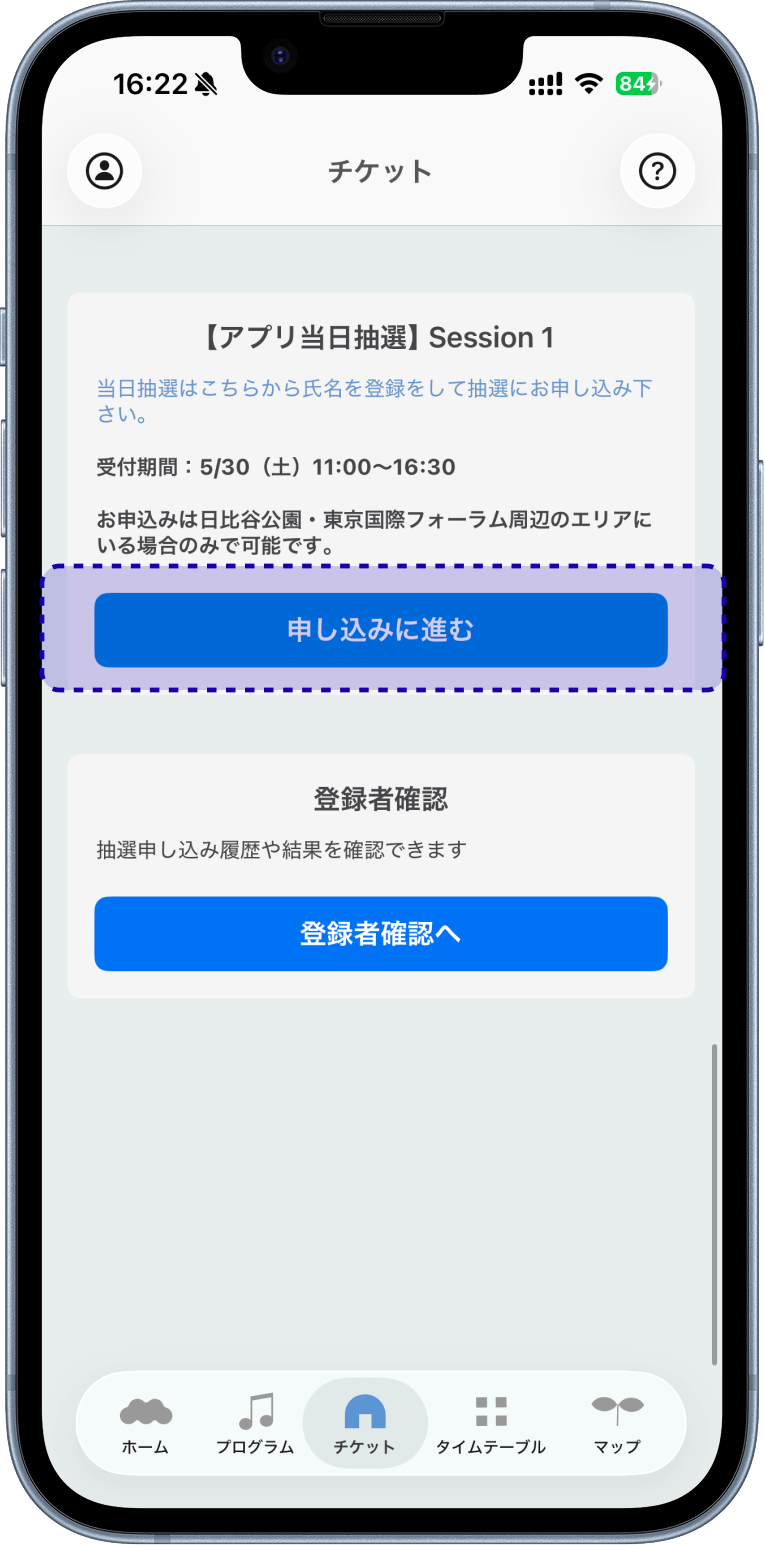
STEP.2
Enter your email address and select "Send Verification Code".
*A verification code will only be sent if you are in the area around Hibiya Park/Tokyo International Forum. Please allow the app to access your location. 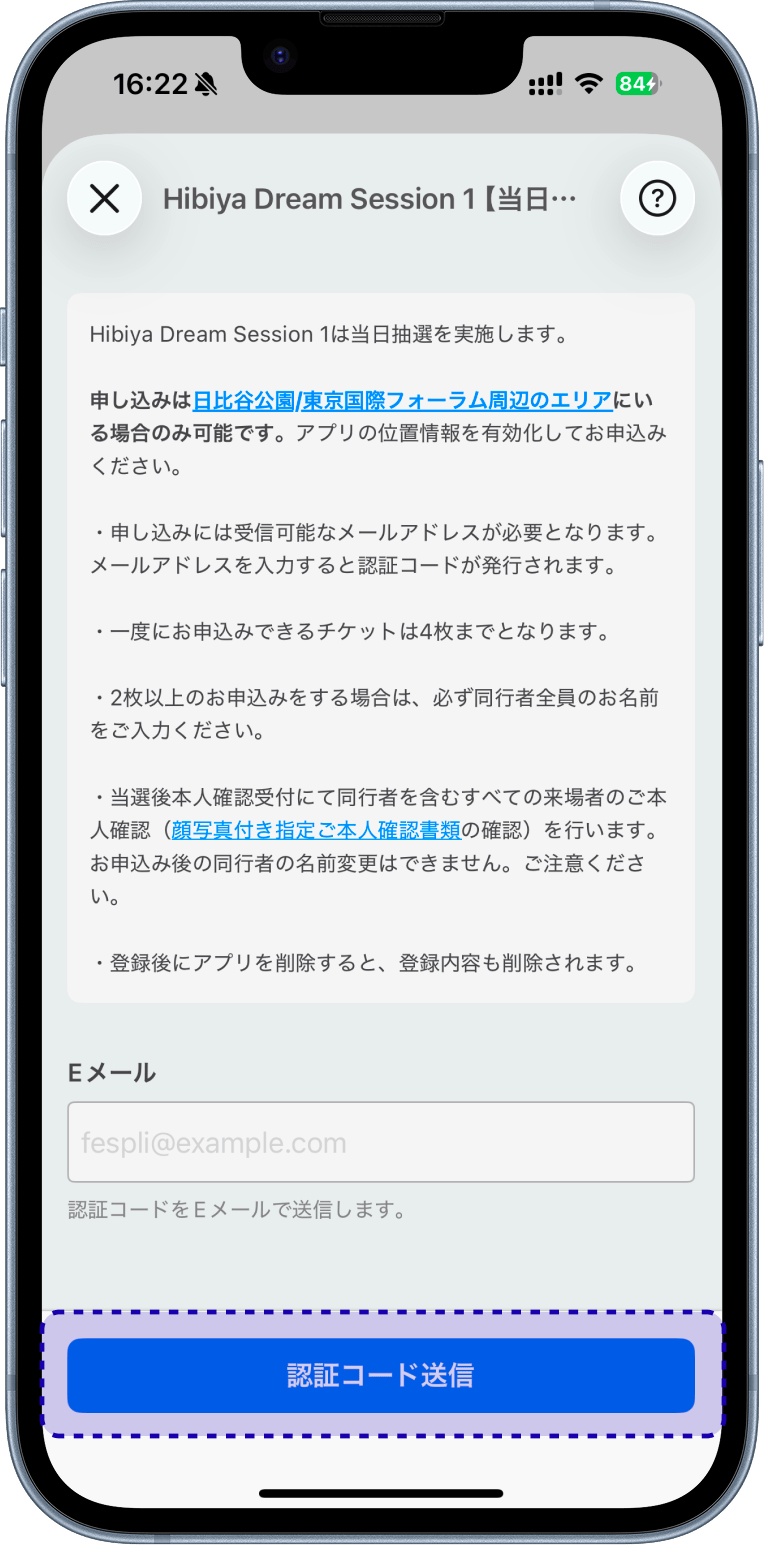
STEP.3
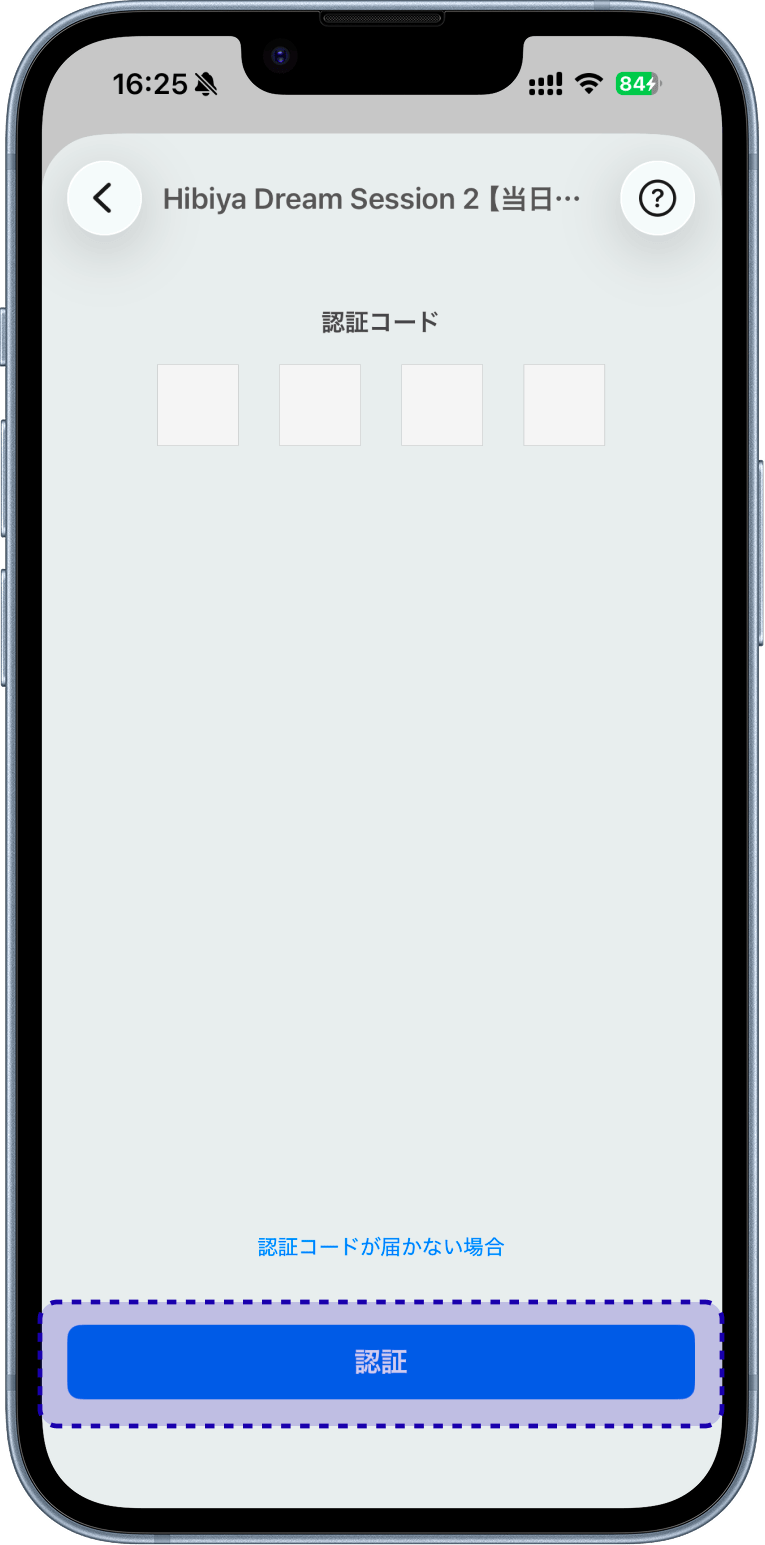
Check the verification code sent to your registered email address and enter it.
STEP.4
Enter the names of the representative and accompanying persons, select "Register," and complete.
* Please enter the name as it appears on your identification document ()
* You can add up to 3 companions (4 people including the representative)
* Name, registration information, and number of participants cannot be changed after clicking the "Register" button.
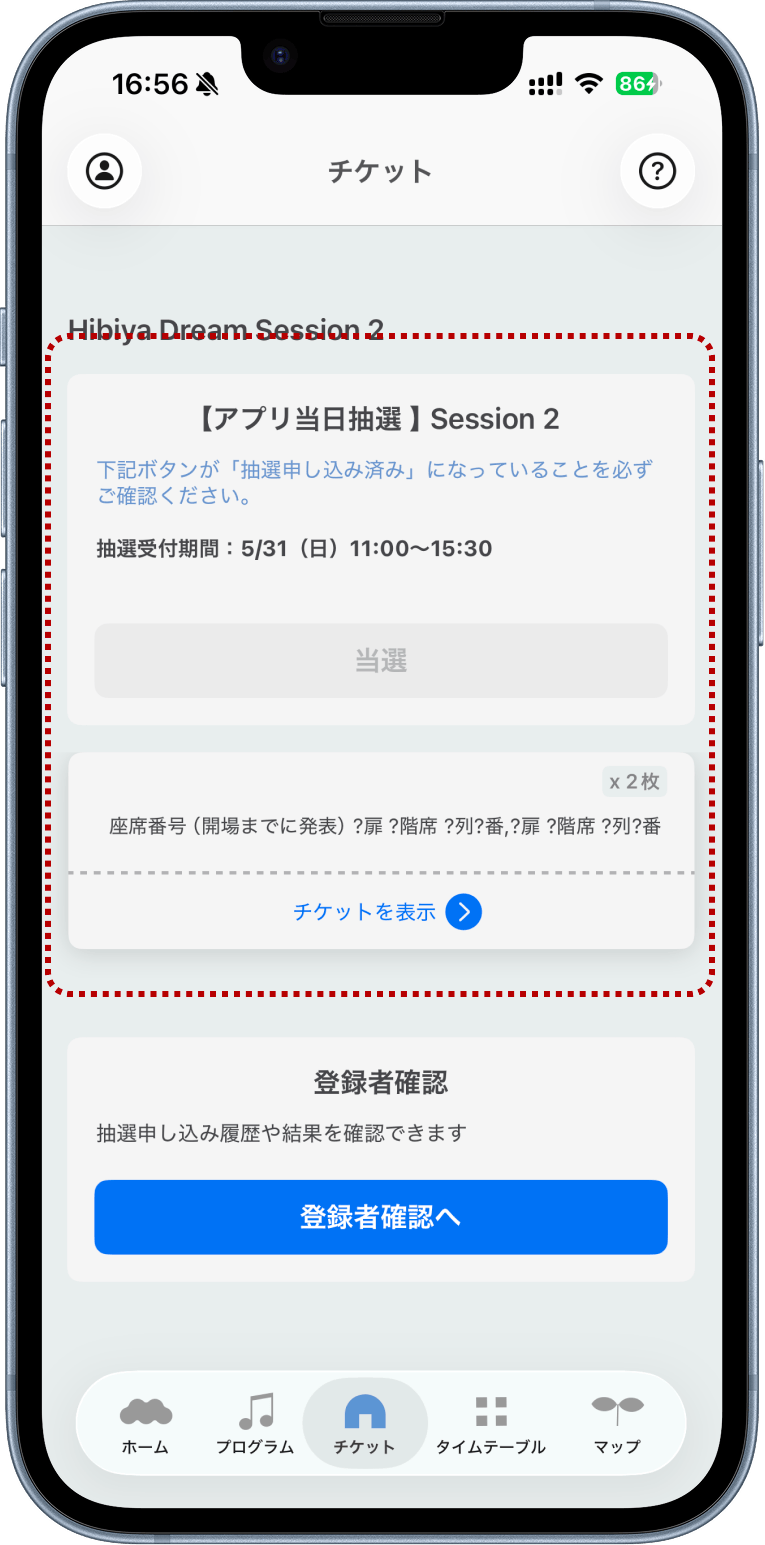
* If the button displays "Lottery Application Completed," your application is completeIf you win, the ticket will be displayed in the ticket tab along with the word "Winner". If you lose, the word "Loser" will be displayed.
It is convenient to have push notifications "ON" when the results are announced.If you win
If you lose
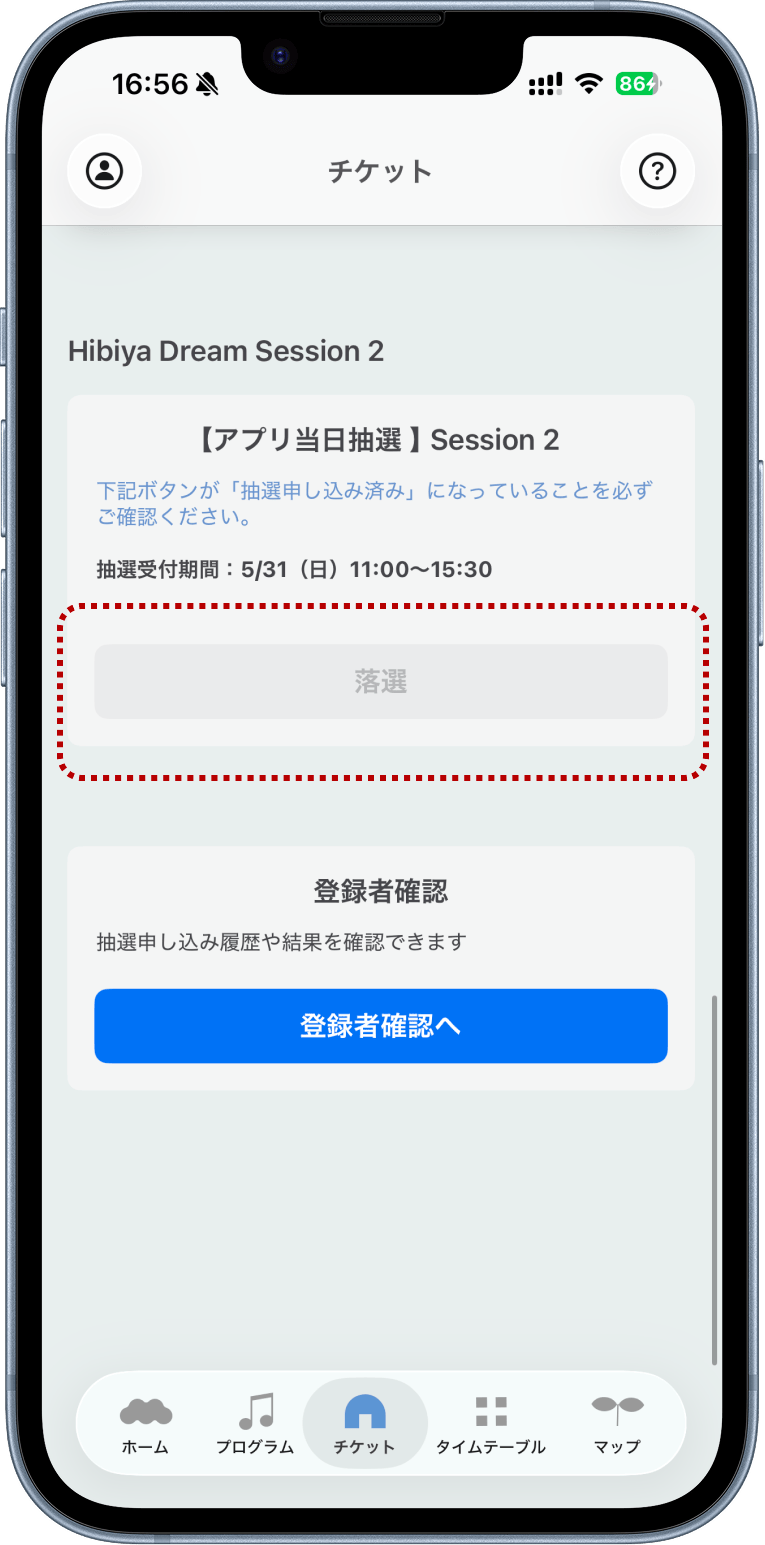
The lottery results will also be displayed in the "Reservation/Lottery Status" section at the bottom of the "Tickets" tab under Registered User Confirmation.
Those who wish to apply for the waiting list lottery
Application Period: From the announcement of the lottery results on the day of the event
Application Area: Around Tokyo International Forum
STEP.1
Select the "Proceed to Lottery Application" button from the "Tickets" tab.
*This button will appear when registration opens for each session on the day of the event. 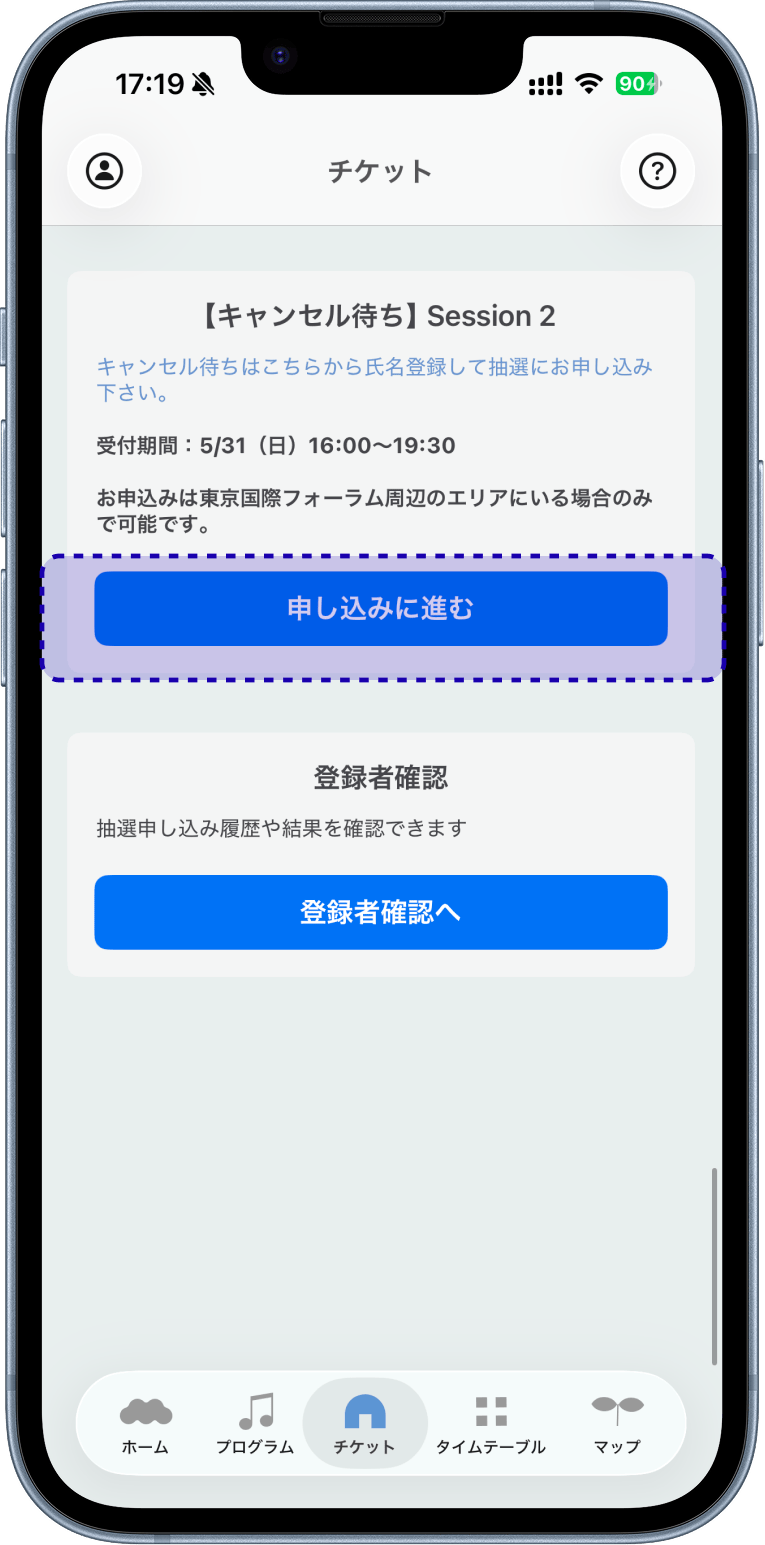
STEP.2
Enter your email address and select "Send Verification Code".
*A verification code will only be sent if you are in the area around the Tokyo International Forum. Please allow the app to access your location. 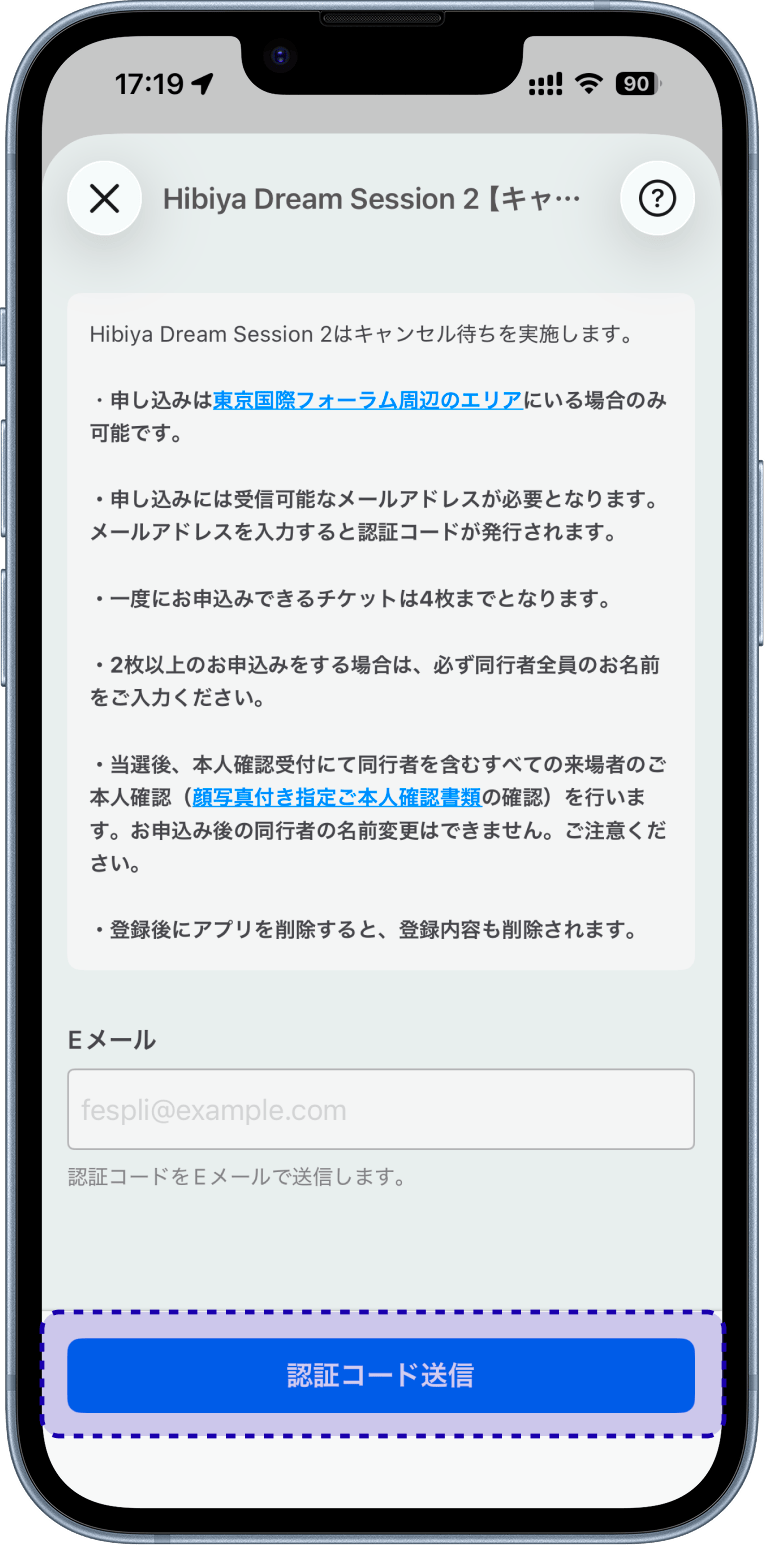
STEP.3
Check the verification code sent to your registered email address and enter it.
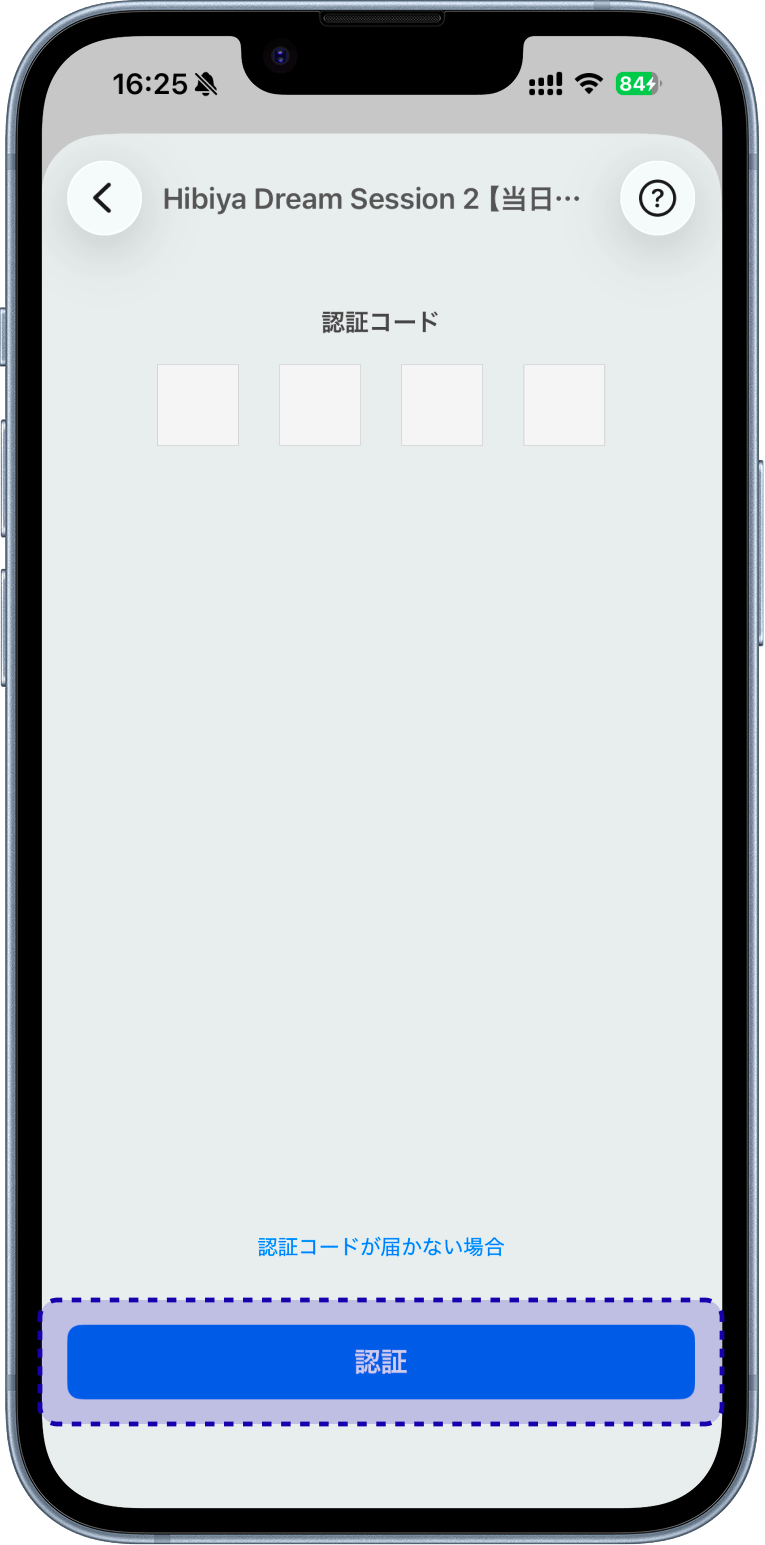
STEP.4
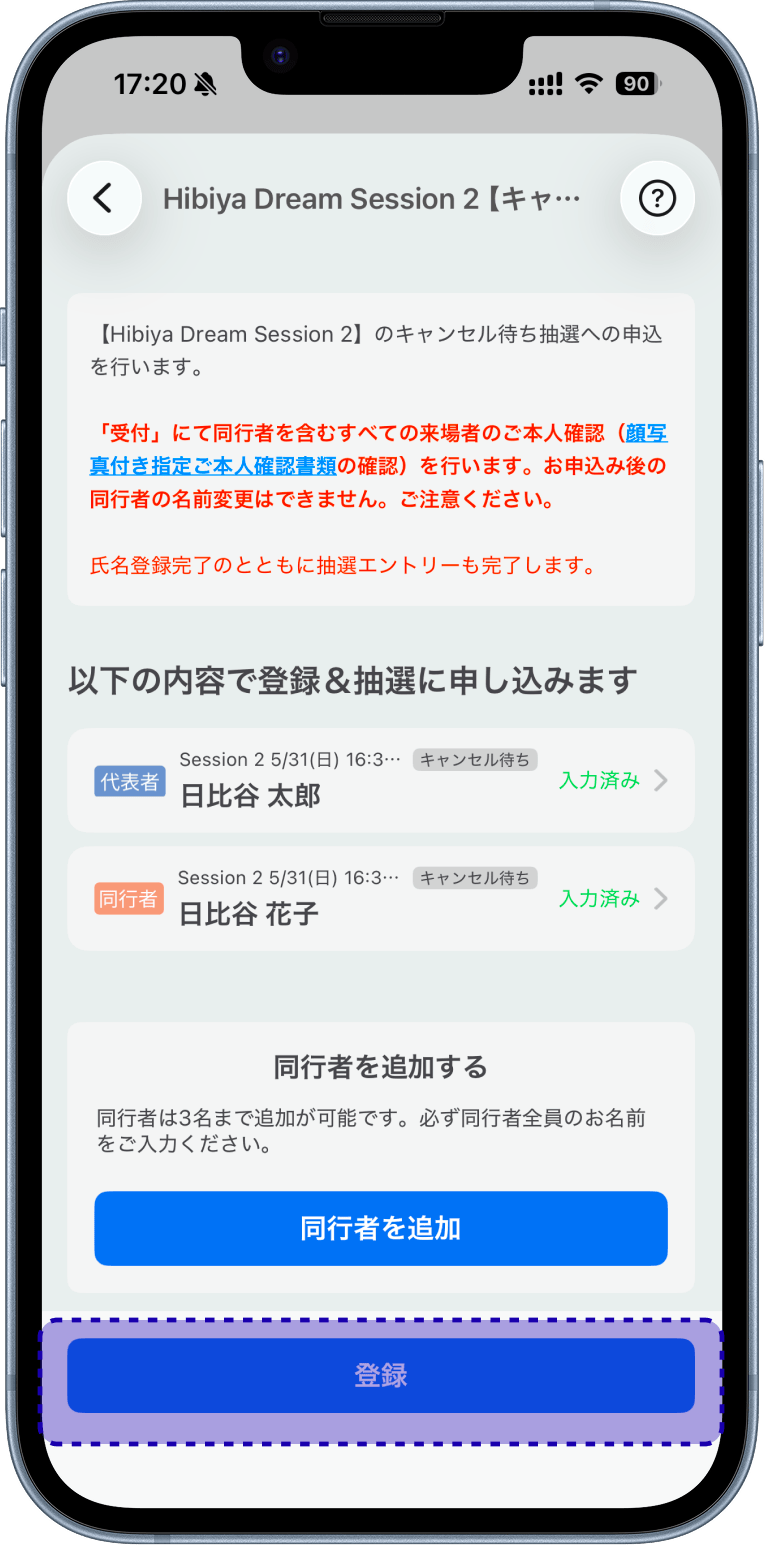
Enter the names of the representative and accompanying persons, select "Register," and complete.
* Please enter the name as it appears on your identification document ()
* You can add up to 3 accompanying persons (4 people including the representative) () * Once registered, the name, registrant information, and number of people cannot be changed after pressing the "Register" button (
) *
*
*
* If the button displays "Application submitted," your application is complete. (
) *
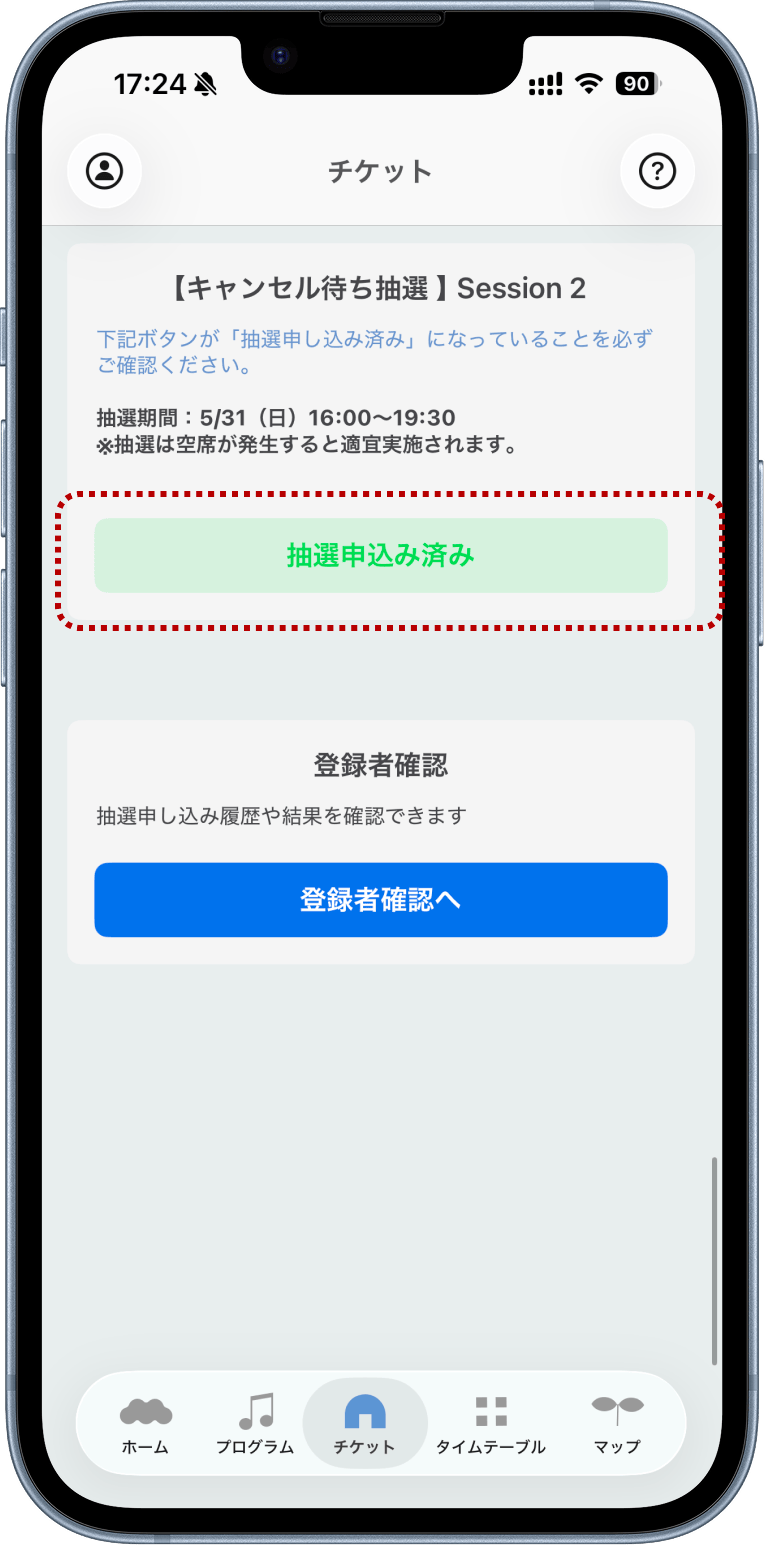
A lottery for the waiting list will be held as needed when seats become available. If you win, you will receive a push notification.
Please turn on notifications in the app and wait.If you win
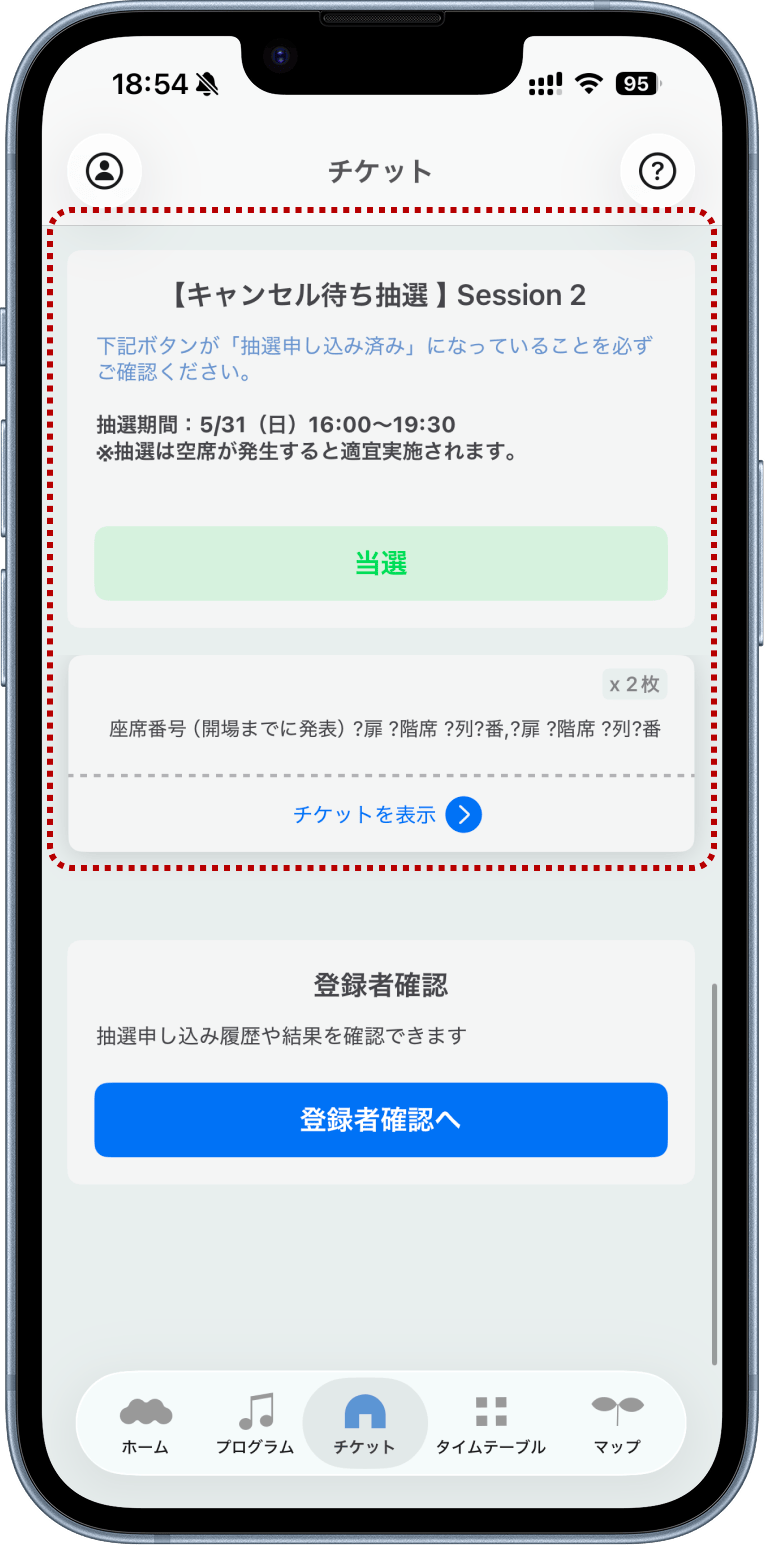
The lottery results will also be displayed in the "Reservation/Lottery Status" section at the bottom of the "Tickets" tab under Registered User Confirmation.
* "Unsuccessful" will be displayed after the last lottery of the day.
Regarding admission
Please make sure that "Ticket" is displayed in the ticket tab before coming to the reception.
If you forgot to check in, your ticket will not be displayed on the FORUM-za ticket screen, so please come directly to the FORUM-za reception. We will guide you to the rear reserve seats, but there is a limited number, so we will stop guiding you once the capacity is reached.
Identity verification will be conducted at two locations.
[Electronic tickets/Paper tickets common]
Identity verification of all attendees is required before entry.
[Electronic Ticket]
After checking in (winners of the same-day lottery do not need to check in), please bring your "designated photo ID" and come to one of the two FORUM-za identity verification reception desks listed below.
[Paper Ticket]
Identity verification will be conducted along with check-in up to two hours before the performance. Please bring your ticket and "designated photo ID" and come to the FORUM-za identity verification reception desk next to the Hibiya Gate Information Counter in Hibiya Park up to two hours before the performance.
FORUM Theater Identity Verification Reception
[For Electronic Ticket Holders / Paper Ticket Holders]
Hibiya Park, next to the Hibiya Gate Information Counter
5/30 (Sat) 10:30-17:30
5/31 (Sun) 10:30-16:30
*Those with paper tickets must have their identity verified here
[For Electronic Ticket Holders]
Near the entrance to Hall A, Tokyo International Forum
(For those who won same-day tickets, please check here)
5/30 (Sat) 16:30 - End of performance
5/31 (Sun) 15:30 - End of performance
*If you have a paper ticket, this is outside the check-in time.
Please be sure to have your identity verified inside Hibiya Park.
The staff will tear your ticket, and you can enter.
*Re-entry is not permitted.
Regarding ticket cancellations
Ticket cancellations can be made at the following times:
*Please note that cancellation fees will not be refunded.
1. Before check-in
Do not register your ticket or check in2. After check-in/identity verification ~ before entry
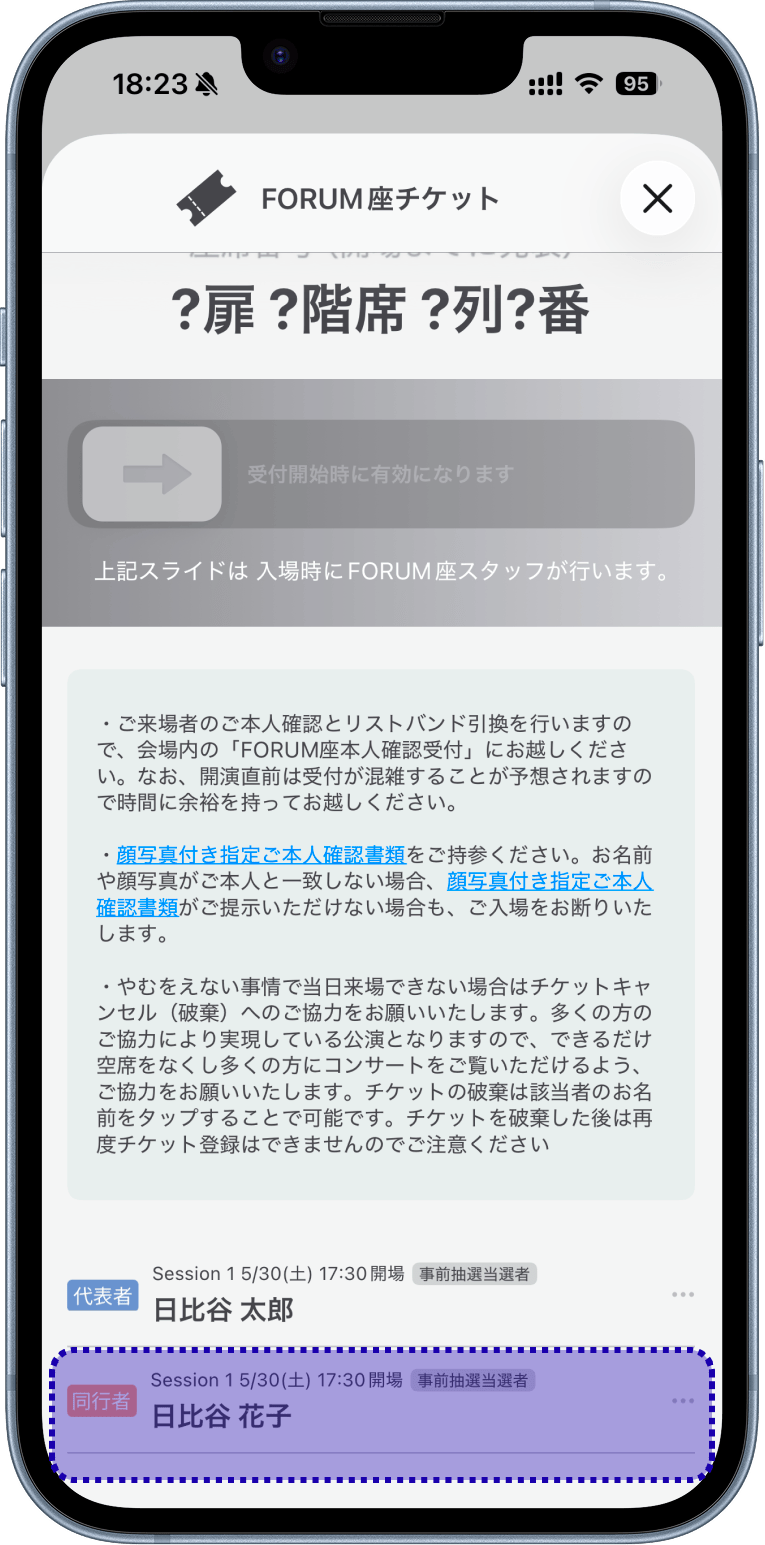
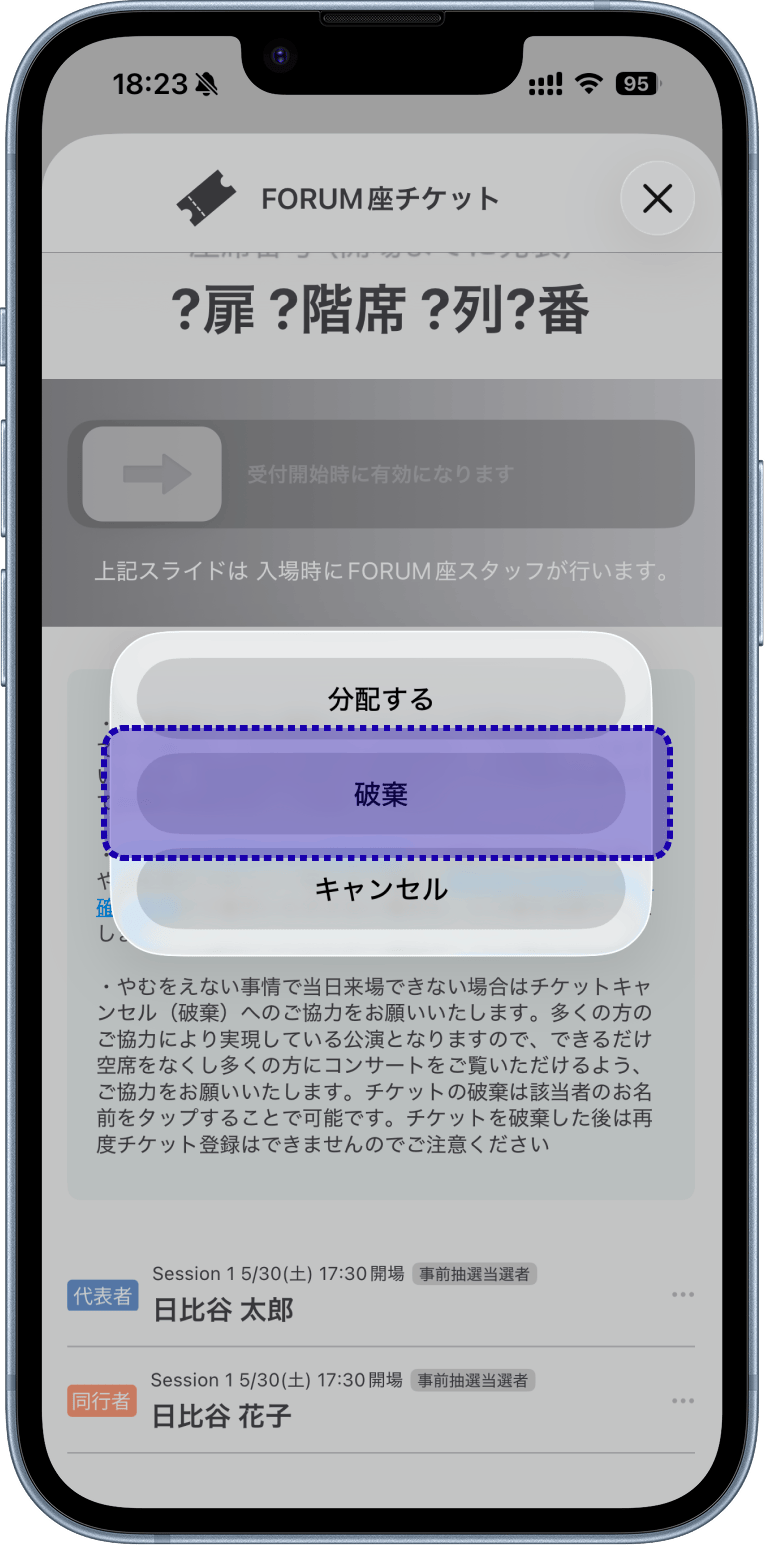
Open the ticket screen, select your name at the bottom, and select "Discard"*Please be aware that this operation cannot be undone.
• Other information about tickets / Notes
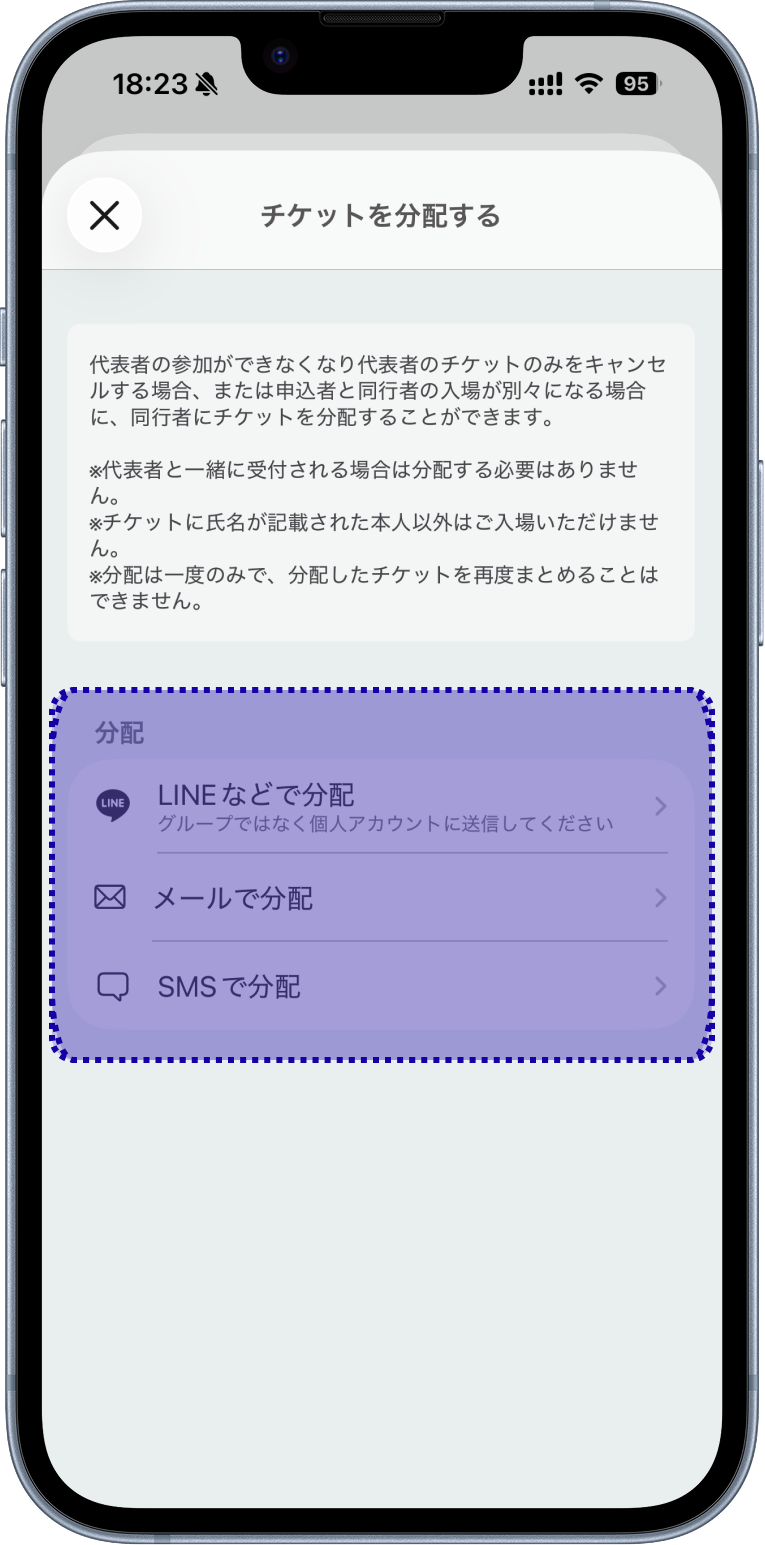
*If you register together with the representative, distribution is not necessary.
*The representative's ticket cannot be distributed.
*Only the person whose name is written on the ticket will be admitted.
Distribution Method
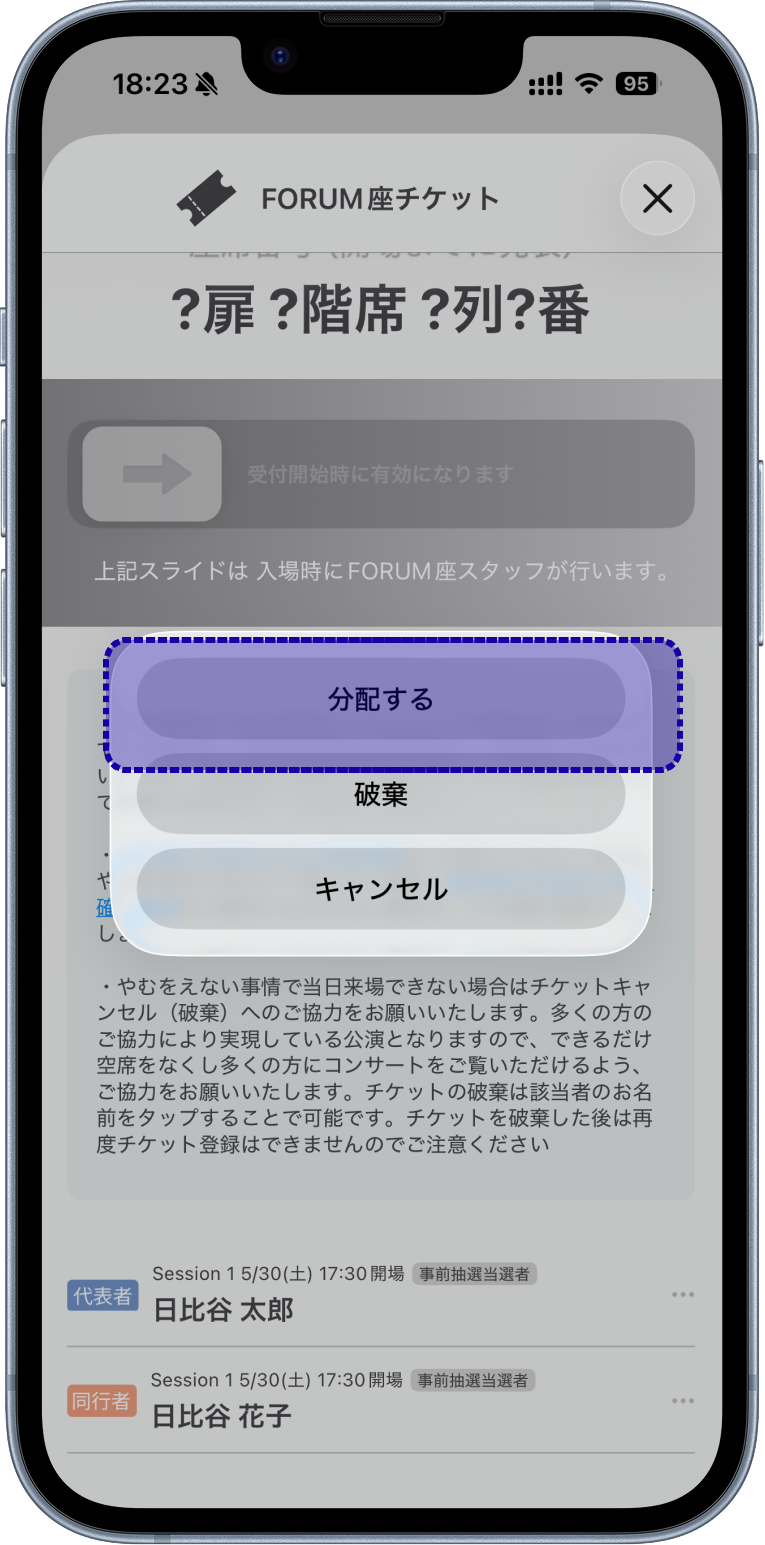
1. Open the ticket screen, select your name at the bottom, and select "Distribute"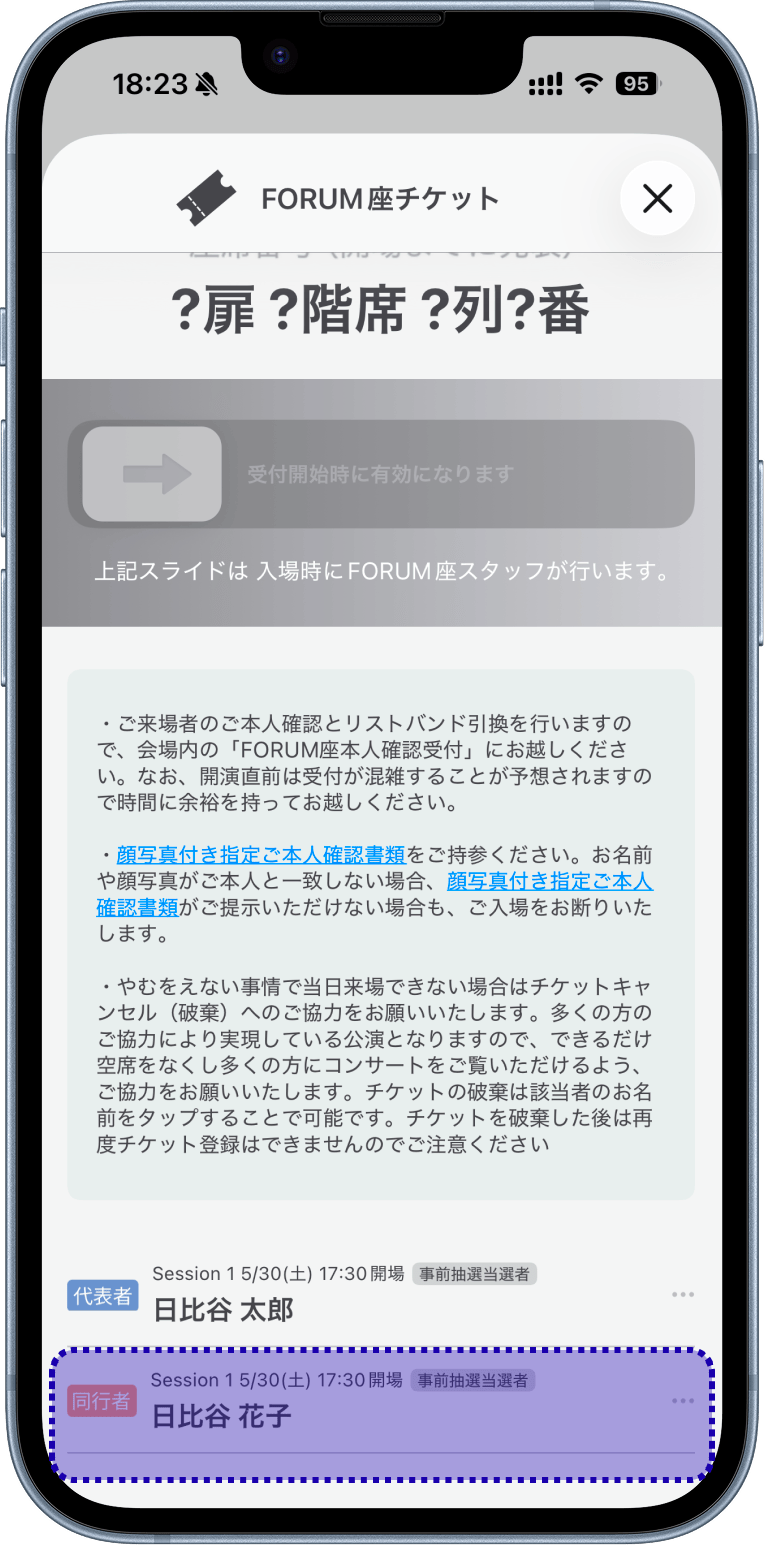
2. Send the distribution URL to your companions via LINE or email
3. The recipient, with the Hibiya Music Festival ticket app installed, selects the URL
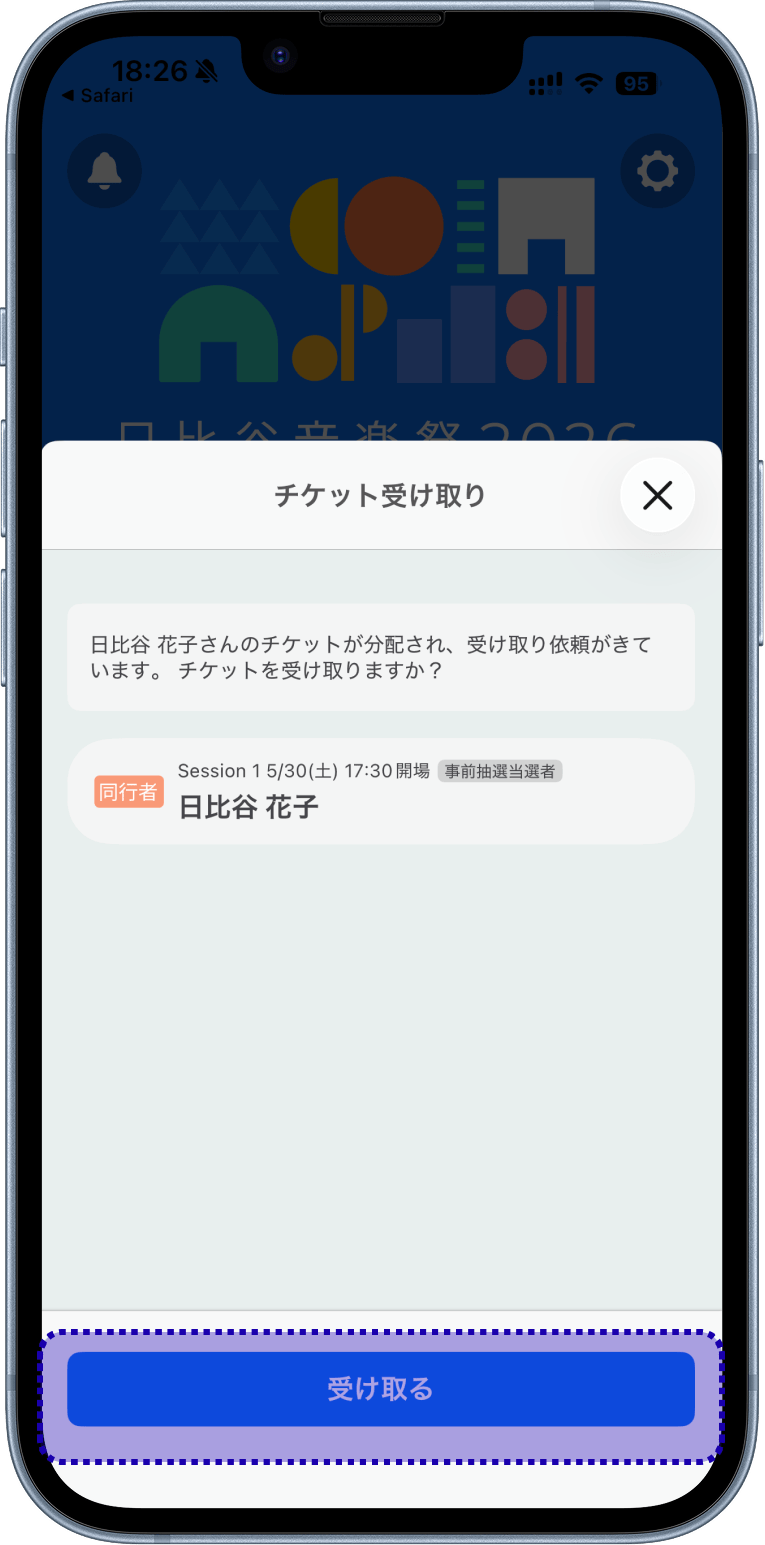
4. Select "Receive Ticket" in the app to complete the process
*For elementary school students and younger, a "Health insurance card (original)" is also accepted as proof of identity. (Photoless cards are also acceptable)
*Students (up to high school students) who are not issued a student handbook with photo or certificate of enrollment with photo should bring the following three documents: ① Health insurance card + ② Parent's ID (designated photo ID) (original only) + ③ Resident registration certificate listing all family members (including the visitor and the parent in ②).
*Please be sure to bring the original copies of the above proof of identity documents. Applications without a photo, photocopies, or expired applications will not be accepted.
<お申し込みについて>
<開演2時間前チェックイン・受付について(プレイガイド事前抽選)>
Please note that your seat will be forfeited if you do not check in within the time limit. Standing room will be offered to those who intend to attend but forget to check in, but there is a limited number of standing rooms available, and this will end once capacity is reached.
<当日のリストバンド交換/ご本人確認について>
Please allow ample time as the reception is expected to be crowded just before the performance begins.
* For those with paper tickets, please arrive directly at the FORUM-za reception desk at least two hours before the performance begins, with all attendees present. * At the FORUM-za reception desk inside the venue, please present your designated photo ID. We will verify that the name on your application matches the name on your photo ID.
If your name or photo does not match, you will be denied entry. Please be sure to bring one of the designated photo IDs listed below. . If you are unable to present a photo ID, you will also be denied entry.
=================
Driver's license / Health insurance card with photo / Driving history certificate / Passport / My Number Card / Basic Resident Register Card / Residence card / Special permanent resident certificate / Physical disability certificate / Mental disability health and welfare certificate / Mirairo ID / Rehabilitation certificate / Student ID with photo / Student handbook with photo / Certificate of enrollment with photo
=================
*For elementary school students and younger, the "Health insurance card (original)" is also accepted as a photo ID. (Photo not required)
*Students (up to high school) who are not issued a student ID with a photo or a certificate of enrollment with a photo must bring the following three items: ① Health insurance card + ② Parent's ID (original photo ID only) + ③ Resident registration certificate listing all family members (including the attendee and the parent in ②).
* Please bring the original copies of the above identification documents.
Documents without a photo, copies, or expired documents are not accepted.
<座席について>
Those with paper tickets will receive their seat ticket at the FORUM venue reception after identity verification.
・Seats are not assigned on a first-come, first-served basis.
・While we plan to seat you and your companions next to each other as much as possible, we cannot guarantee consecutive seats.
Your seats may be separated. We appreciate your understanding.
<チケットキャンセル>
This performance is made possible by the cooperation of many people, so please cooperate in eliminating empty seats as much as possible so that many people can see the concert.
*How to cancel electronic tickets:
① Do not pay the handling fee after winning the pre-sale lottery through the play guide (*).
② Do not check in up to two hours before the performance starts.
③ After checking in, cancel on the app.
Note that for ② and ③, the accompanying person can also cancel. mino Additionally, if the representative is unable to attend, tickets can be distributed to pre-registered companions. Please check the app screen for details on distribution methods.
* How to cancel paper tickets:
① Do not pay the handling fee after winning the pre-sale lottery through the ticket agency (*).
② Do not register at the venue reception up to two hours before the performance starts.
* Handling fees will not be refunded for cancellations.
*If you have selected credit card payment, the handling fee will be paid at the same time as winning.
<電子チケットについて>
Please be careful.
<チケットに関するお問合せについて>
On the day of the performance, an "Electronic Ticket Inquiry Counter" will be set up at the FORUM Theater reception.
It will be very crowded around the check-in time and just before the performance begins, and in some cases you may not make it in time for the start of the performance. Please allow ample time if you are using this service.
<その他>
* If you require assistance entering, such as using a wheelchair, or if you wish to reserve wheelchair seating, please contact the Disk Garage Customer Center via the inquiry form after winning the lottery.
* Video and photographs of the venue, including the audience, may be released.
Please understand this before attending.
* The performance will proceed rain or shine. However, it will be canceled in the event of severe weather, natural disasters, or if requested by the government or Tokyo Metropolitan Government due to infectious diseases, etc.
If the event is canceled, we will announce it on the official website.
There will be no rescheduled performance or refunds for ticket agency fees in the event of cancellation.
* This performance is free of charge. Reselling winning tickets, attempting to resell them through internet auctions, or participating in the ticket lottery with the intention of reselling is prohibited.
If any of the above actions are discovered, the ticket will be invalidated.
The terms and conditions regarding this ticket are subject to change without notice. Please be sure to check the latest information before attending.
<電子チケットの個人情報の第三者提供について>
We will provide the personal information of customers who have purchased this ticket (see below) to Spincoster Co., Ltd. Spincoster Co., Ltd. will use the provided personal information to reflect the winning information of those who have won the lottery for tickets to the Hibiya Park Open-Air Concert Hall "FORUM-za" stage conducted by the ticket agency in the "Hibiya Music Festival 2026 Official App" which the company plans to release in the future, and to verify and confirm that the person holding the lottery ticket is indeed the person in question.
Customer personal information to be provided
======
Full name in Kanji and Kana (Kana if not in Japanese) that exactly matches the specified photo ID / Applicant's email address / Applicant's mobile phone number / Number of tickets / Information of accompanying person (Full name in Kanji and Kana (Kana if not in Japanese) that exactly matches the specified photo ID)
======
1. Check your spam folder.
2. Configure your email settings to receive emails from the domain "@fespli.com".
3. Try using a different email address (Gmail / Yahoo! Mail, etc.).
※日比谷音楽祭公式アプリが入った、スマートフォン等からアクセスしてください。